
Servers support many of the systems businesses rely on every day, from file storage and email access to cloud applications, backups, user permissions, and secure data management.
A well-planned server setup can improve performance, strengthen security, and give organizations room to grow without creating unnecessary complexity.
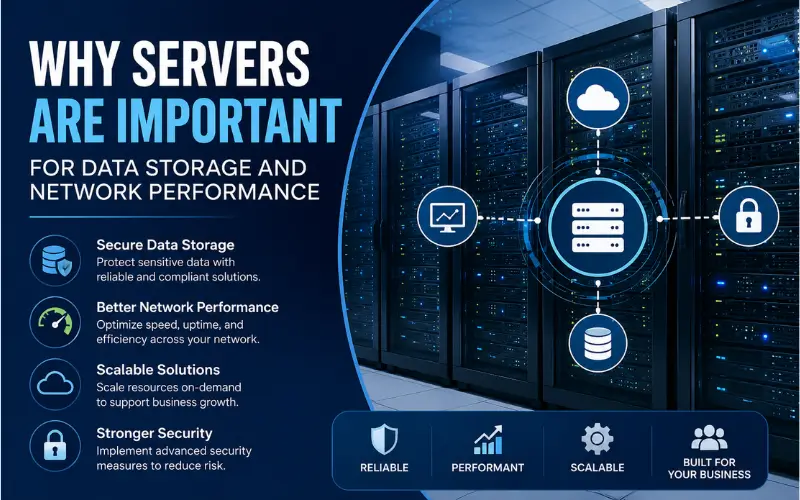
Choosing the right server approach depends on workload, budget, compliance needs, and the level of control a business wants over its infrastructure.
This guide explains how servers support data storage and network performance, compares common deployment models, and outlines practical maintenance and security considerations for organizations of different sizes.
Server Deployment Options
Choosing where to deploy servers affects cost, control, scalability, and how easily IT teams can manage data.
On-Premise Physical Servers
On-premise servers allow organizations to host and manage hardware within their own facilities. This setup gives IT teams direct control over infrastructure, which can support faster internal network operations, tighter access management, and more predictable performance for workloads that stay inside the organization.
This approach also gives businesses more control over data storage and access. IT teams can manage security measures, privacy practices, and software integrations directly.
Organizations handling sensitive information often value this level of oversight. For example, healthcare providers may keep patient records within private data centers to support role-based access, audit trails, and HIPAA Security Rule safeguards for electronic protected health information.
The HIPAA Security Rule requires covered entities and business associates to use administrative, physical, and technical safeguards to protect electronic health information.
Financial institutions may also keep proprietary trading systems and sensitive customer data on private infrastructure to reduce exposure and maintain strict internal controls. The trade-off is the upfront cost.
Businesses must purchase server hardware, software licenses, rack space, networking equipment, power systems, and cooling before running workloads.
Ongoing expenses include IT staff, electricity, cooling, hardware maintenance, and software updates. Scaling also requires more planning because additional capacity often means buying and configuring new equipment.
For businesses with stable workloads and long-term infrastructure needs, however, on-premise systems can remain cost-effective compared with recurring cloud subscription fees.
Server refresh cycles also create another planning question: what to do with hardware that still has resale or recycling value.
Businesses that are replacing older servers can work with Big Data Supply to sell used corporate servers through a process that includes secure data destruction, chain-of-custody tracking, and environmentally responsible recycling options.
Cloud-Based Servers
Cloud servers provide computing power on demand through Infrastructure-as-a-Service models. Instead of buying and maintaining physical hardware, businesses access virtual or bare-metal servers hosted by providers such as AWS, Microsoft Azure, or Google Cloud.
The cloud model usually operates on pay-as-you-go pricing, so costs can scale with usage.
Organizations avoid large upfront hardware purchases, and providers manage much of the physical infrastructure, including data center operations, hardware replacement, and platform-level availability.
Provisioning is also faster. A cloud server can often be deployed in minutes, while physical hardware may take weeks to purchase, receive, configure, and test. Capacity can be scaled up or down without buying new equipment.
Many cloud providers also offer backup, replication, and disaster recovery options that can be difficult to match with a single on-premise environment.
The main trade-off is reduced direct control over the underlying infrastructure and a need for careful cost, access, and configuration management.
Hybrid Server Solutions
Hybrid infrastructure combines on-premise systems with public cloud services. This model allows organizations to place data and applications in the most suitable environment based on performance, cost, compliance, and security needs.
A business might keep sensitive systems on private infrastructure while using public cloud resources for development, analytics, backups, or seasonal demand. This gives teams more flexibility without requiring every workload to move into one environment.
Hybrid setups also require strong management practices. IT teams need clear policies for identity management, monitoring, data movement, backup, and security across both private and public environments.
Orchestration tools can help provide a unified view across cloud and on-premise resources.
Common Server Use Cases
Server requirements vary based on company size, workload, industry, and growth plans.
Small Business Server Needs
Many small businesses use servers for core tasks such as hosting domain-specific email, storing files in a central location, enabling VPN access, managing user permissions, hosting websites, running ecommerce systems, supporting business software, and backing up data.
Security runs through each of these functions. A centralized server setup can make it easier to manage firewalls, user accounts, passwords, backups, and access permissions from one place.
Some small businesses start with a single physical server. A tower server with a quad-core Intel Xeon processor and 16GB of RAM may be enough for basic file sharing, email, and business data for a small team.
As needs grow, virtualization can help one physical server run multiple virtual machines, such as a web server, storage server, and application server.
Enterprise-Level Server Requirements
Enterprise servers are built for higher performance, reliability, and availability. They support large numbers of concurrent users, high request volumes, fast response times, and better hardware utilization across demanding workloads.
Fault-tolerant infrastructure is especially important at this level. Redundant power supplies, storage arrays, network connections, and failover systems help keep applications available during hardware failures or outages.
Enterprise environments also need stronger security controls, including encryption, identity management, monitoring, segmentation, and application-level protections.
Industry-Specific Server Applications
Different industries place different demands on server infrastructure. Law firms often need strong encryption, secure document management, and reliable access controls. Medical practices need systems that support electronic health records, secure access, and HIPAA-related safeguards.
Design agencies may prioritize high storage capacity and GPU-ready systems for rendering workloads. Manufacturing operations often depend on ERP platforms, production monitoring, and systems that support high uptime across facilities.
The best server configuration depends on the applications being used, the data being stored, the number of users, and the performance expectations of the organization.
Server Security and Maintenance
Protecting server infrastructure requires consistent attention. A secure setup at launch is not enough if systems are not monitored, patched, backed up, and reviewed over time.
Essential Security Practices
Servers are common targets for cyberattacks because they often store valuable business data and support critical operations. Malware, ransomware, credential theft, and unauthorized access can disrupt systems and expose sensitive information.
Patch management is one of the most important maintenance tasks. Operating systems, third-party applications, web applications, and hosting control panels should stay current.
Microsoft schedules its monthly security update release on the second Tuesday of each month, commonly known as Patch Tuesday, although some products may follow different schedules.
Organizations should also review user accounts and access controls regularly. Inactive accounts should be disabled, permissions should be checked, and administrative access should be limited to users who need it.
Strong password policies, multi-factor authentication, antivirus tools, anti-malware protection, and vulnerability scanning can all help reduce risk.
Regular Maintenance Tasks
Daily checks should include confirming antivirus updates, monitoring server health, and verifying backup success.
Monthly tasks often include installing patches, reviewing user accounts, checking permissions, scanning for malware, and reviewing system logs for unusual activity.
Maintenance should also include hardware checks. Storage health, memory usage, processor load, cooling performance, and network activity can all reveal early warning signs before a failure affects users.
Backup and Disaster Recovery
Backups protect businesses from accidental deletion, hardware failure, ransomware, and other disruptions. Backups should be performed regularly, but they should also be tested. A backup that cannot be restored is not a reliable recovery plan.
Many organizations follow the 3-2-1 backup rule: keep three copies of data, store copies on two different types of media, and keep one copy offsite. CISA describes this approach as a way to improve the chance of recovering lost or corrupted data.
A documented disaster recovery plan should explain how systems will be restored, who is responsible for each task, which servers are most critical, and what failover processes are available. The plan should be reviewed and updated as systems change.
Conclusion
Servers remain central to reliable data storage, network performance, application delivery, and business continuity.
Small businesses may need a simple setup for files, email, permissions, and backups, while larger organizations often require high availability, stronger security controls, and more complex workload management.
The right deployment model depends on how much control, flexibility, scalability, and compliance a business needs. On-premise, cloud, and hybrid systems can all work well when they are planned carefully.
Strong maintenance, regular patching, secure access controls, and tested backups help keep server environments stable and protected over time.